
Registration and Login
Registration
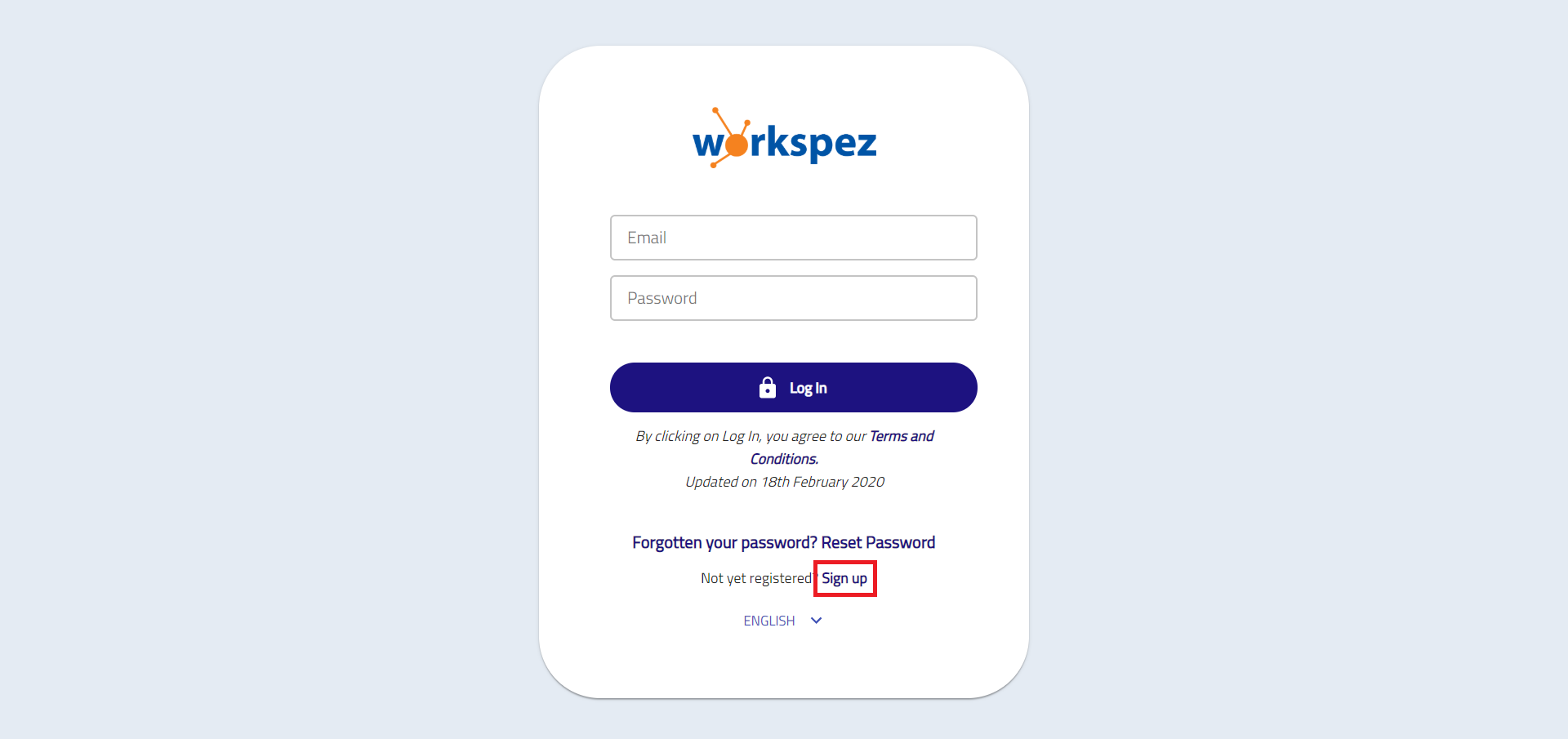
- Click Sign Up to register for a new account.
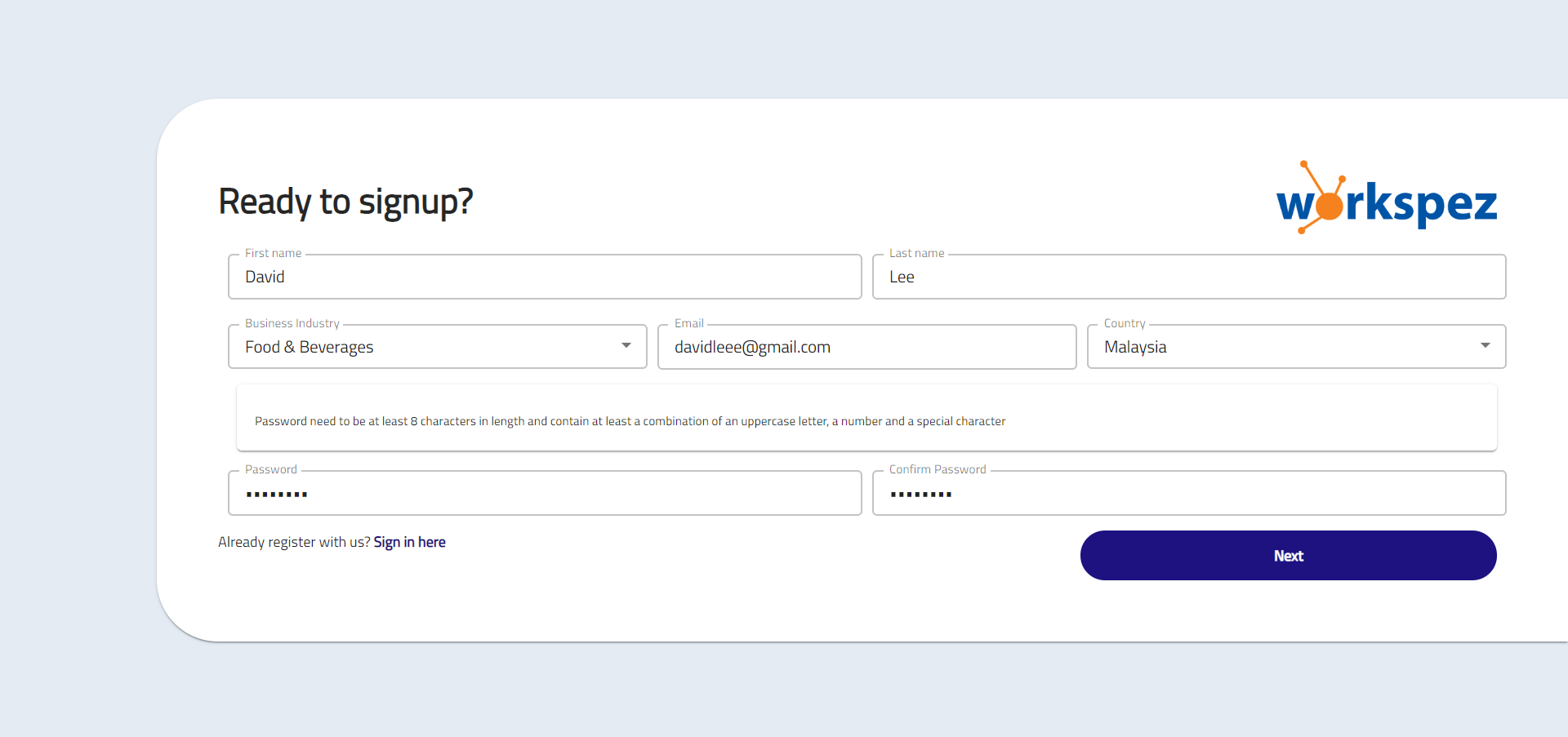
- Enter your name, email and password, then select your business industry and country.
- Click Next to select your plan.
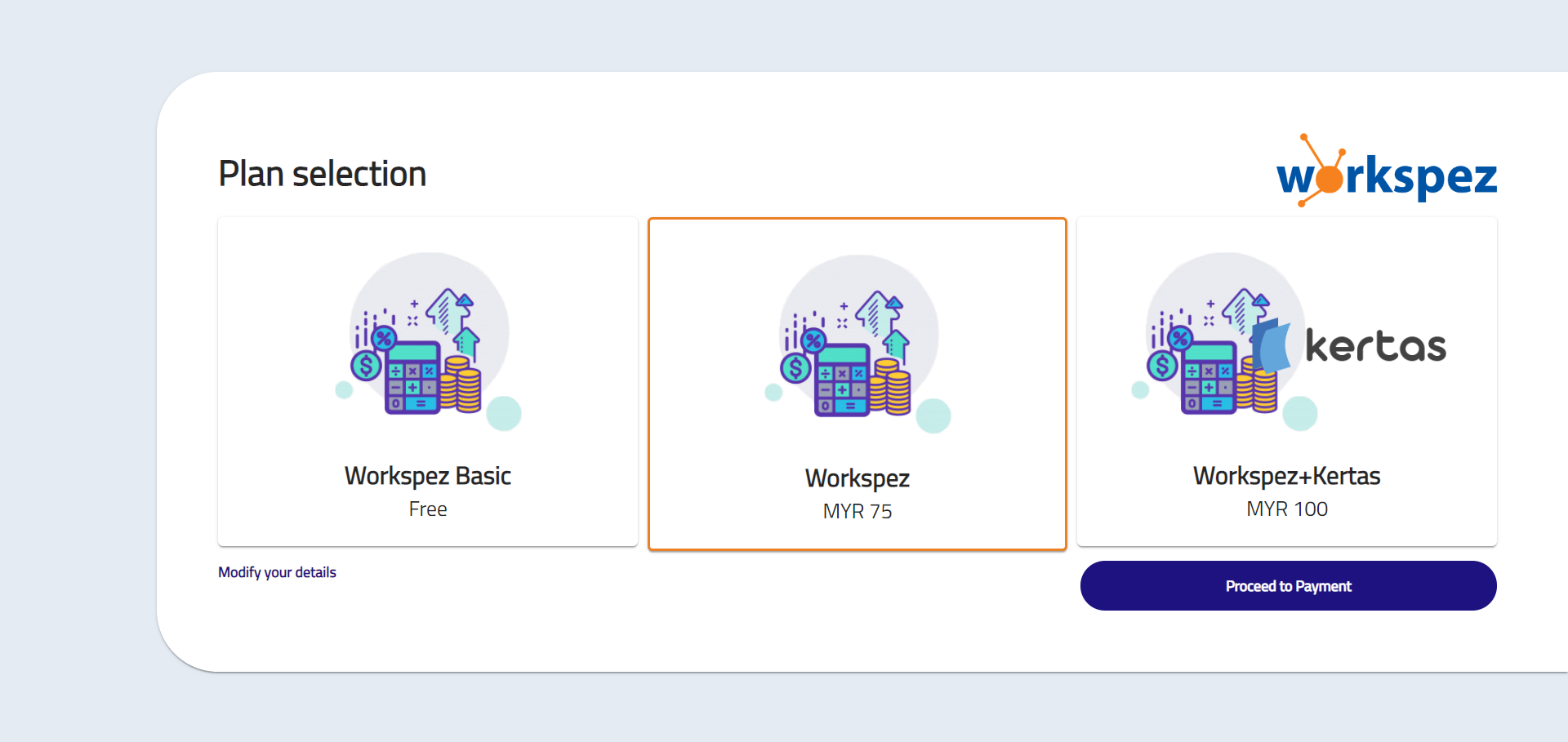
- Choose a plan and click Proceed to Payment or click Register if you select Workspez Basic Plan.
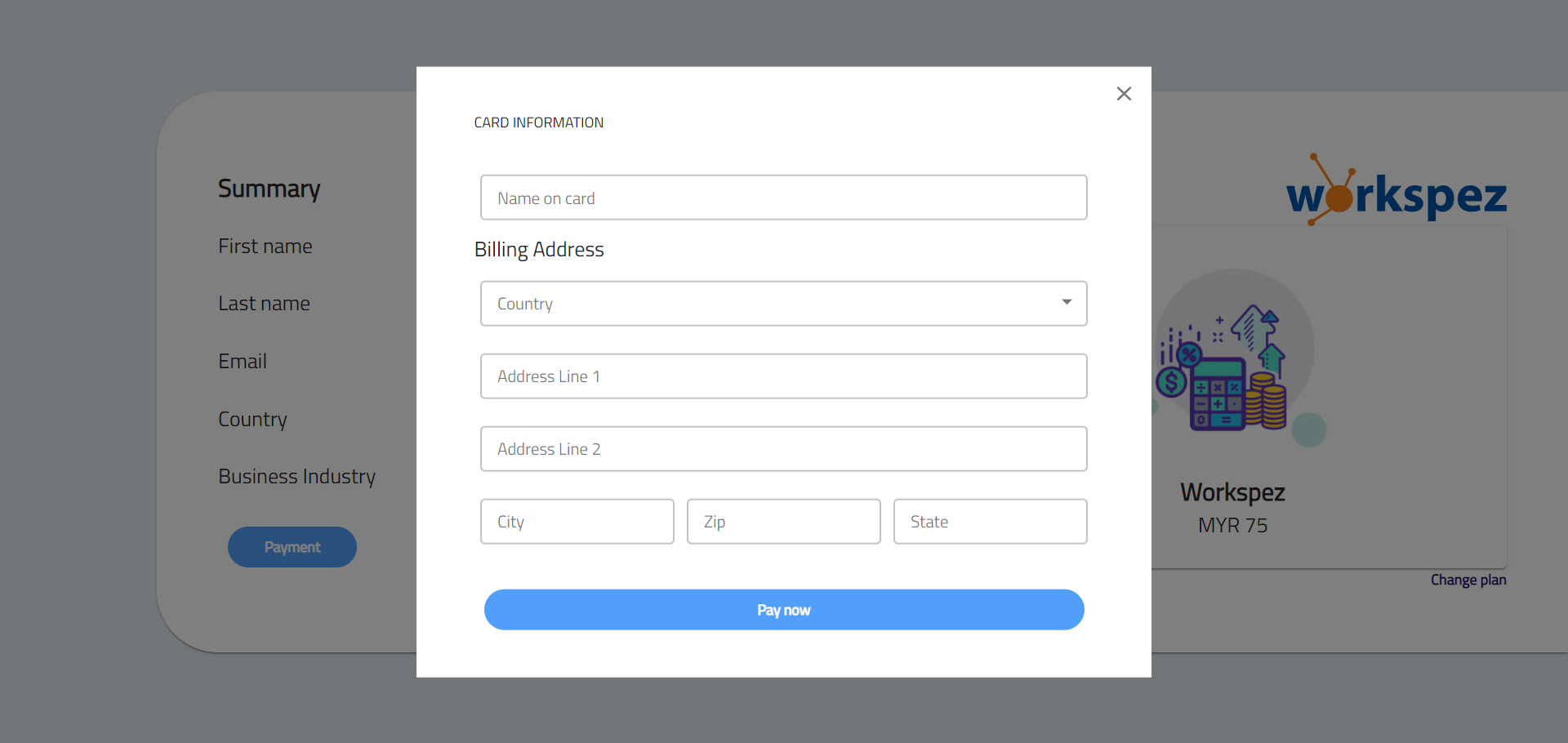
- Click Payment and enter your card information or click Change plan if you want to choose other plan.

- Once entered all the details, click Pay now.
Once you’ve done the payment and registration successfully, we will send you a verification email.
Please check your email and click on Verify Account for verification.
Note: If you do not receive a verification email within a few minutes, please check your Junk E-mail folder.


- Click on Verify Account.
- Enter your company name and select currency, tax country and financial year end.
- After entering all the details, click Next.

You will then be signed in and directed to the Dashboard.
Login
- Enter your email and password then click Log In.
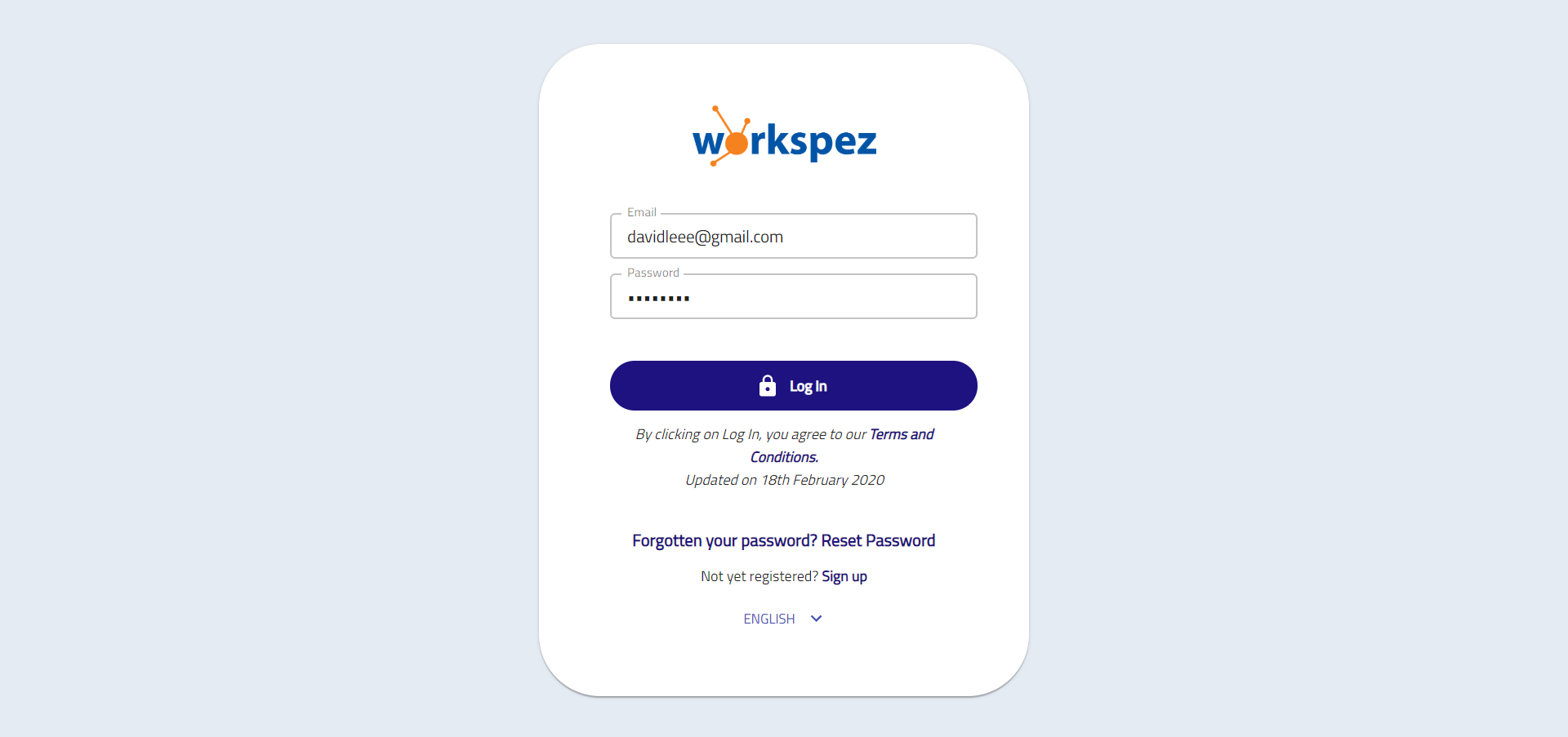
Reset Password – To reset your password if forgotten.
Sign up – To register a new account for new users.
Reset Password
- Click Reset Password to reset your password.
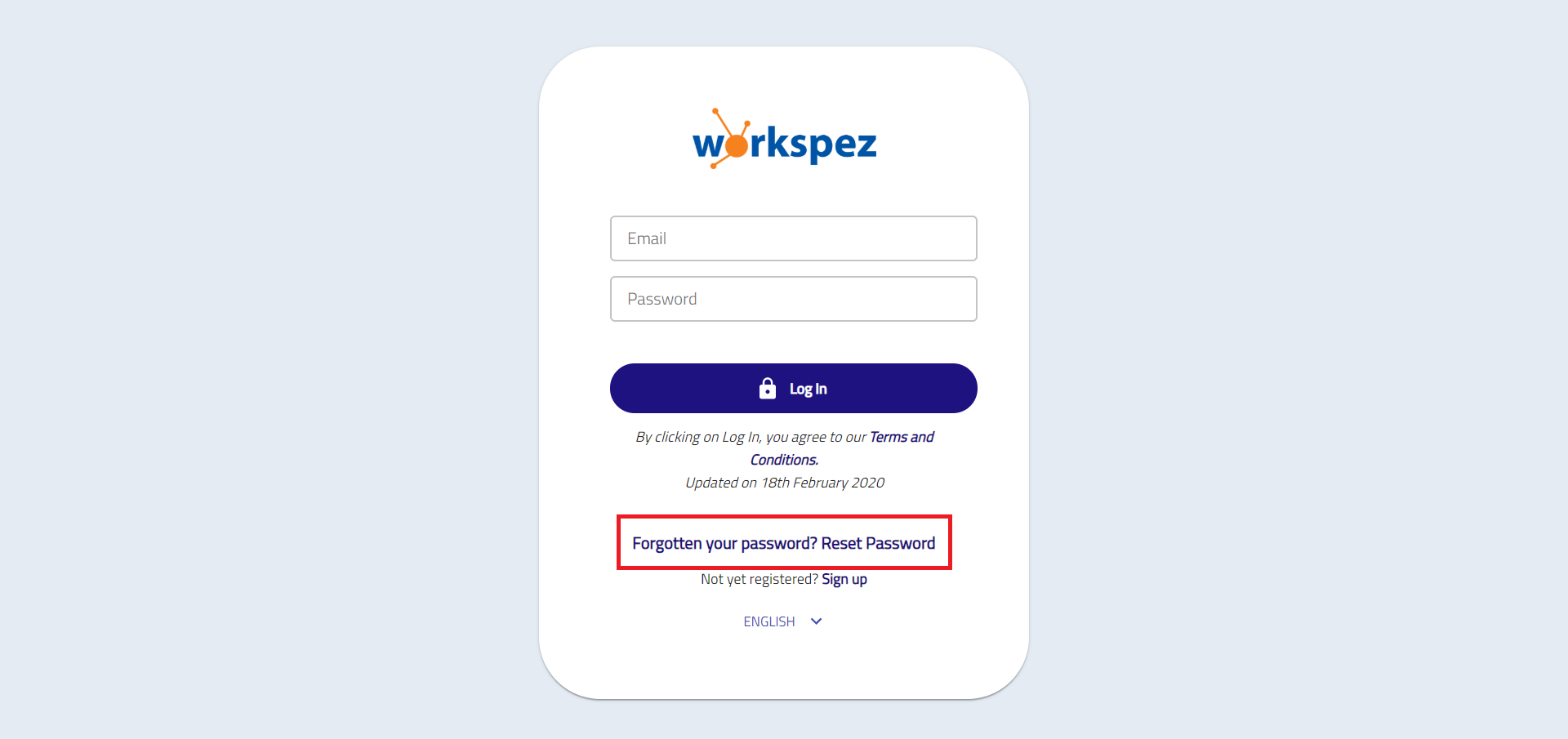
- Enter your email and click Reset Password. You will received an email from us to reset your password.

- Click Reset Password button and follow the steps to reset your password.
